New to Ring & Rosette?
Ring & Rosette is a dog show app for UK exhibitors. You log your results on the website or the phone apps, and it works out your warrant points, CCs, class eligibility and Crufts qualification for you, under Royal Kennel Club rules. It's free for up to two dogs.
In brief
Adding a show
- Go to Shows and tap + (Add a show on the website)
- Add the name, date and type
- Fill in any details from the schedule
- Add the judges and classes if you know them
What you get
- Your next show on your home screen
- Every show on a calendar
- Judges and classes ready when you log a result
One list for the whole kennel
Shows are shared across all your dogs, so you only enter each show once, even if three of your dogs are going. Everyone in your kennel sees the same list.
Adding a show
Go to Shows and tap +, or Add a show on the website. The form then takes you through five steps, and you can go back to any of them before you save.
- Show. Type the show's name as it's billed on the schedule, and the society if you like.
- Date & type. Pick the date, and whether it's a Championship, Premier Open, Open, Limited or Match show.
- Details. Everything here is optional. For a Championship show, say whether CCs are on offer for your breed. For a Championship or Open show, say what kind of show it is and whether it's judged on the group system. The schedule's front page usually tells you both. A breed club show is one breed, so there's no Group, and Best in Show and Best Puppy in Show follow straight on from the breed when you log a result. You can also save the link to the entry page.
- Judges. Add the breed judge and tap the breed classes on the schedule, then any Any Variety or stakes classes and the Group and Best in Show judges. These are optional too, and fill in for you when you log a result at the show.
- Check. Read through the summary, edit anything that's wrong, and save.
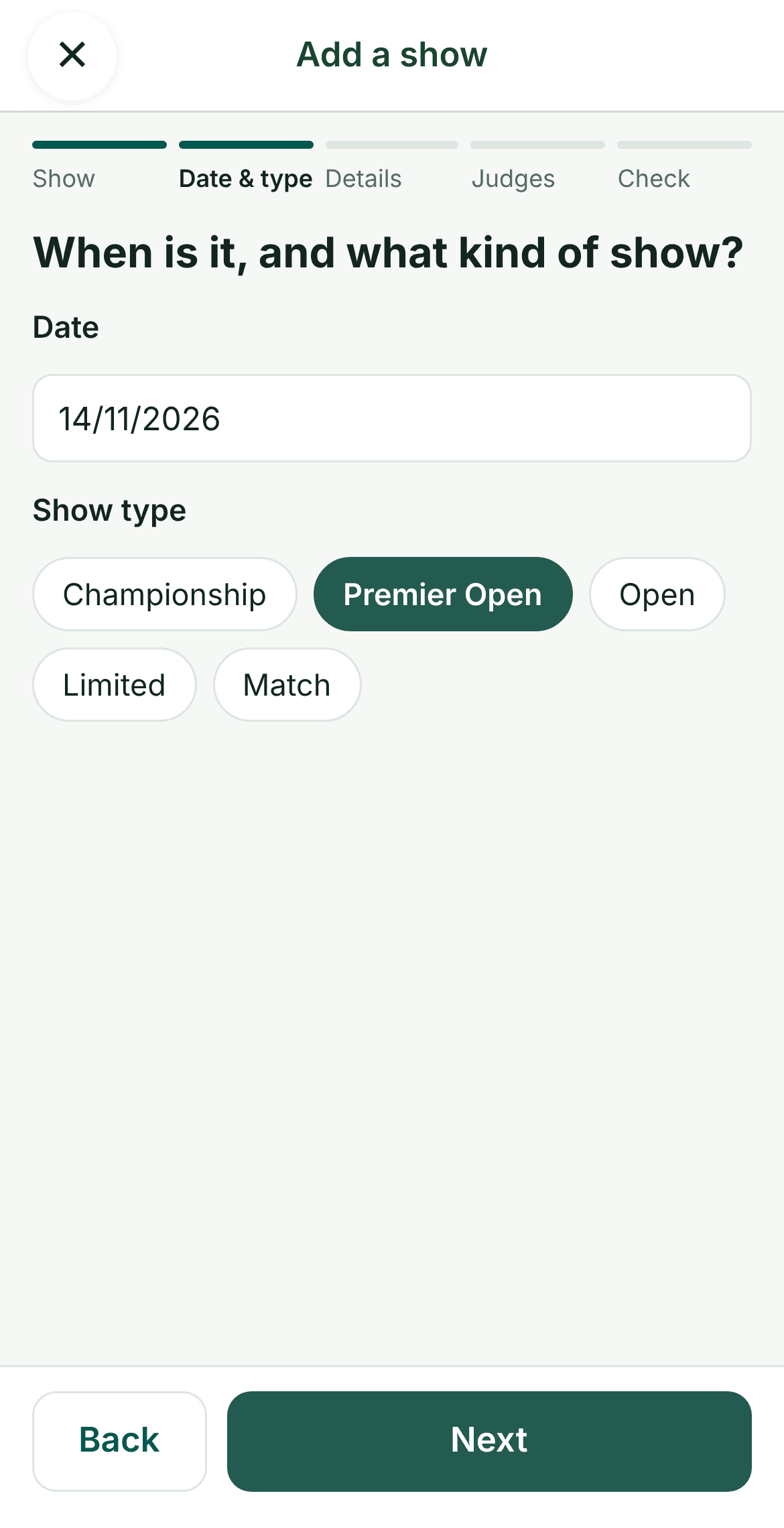
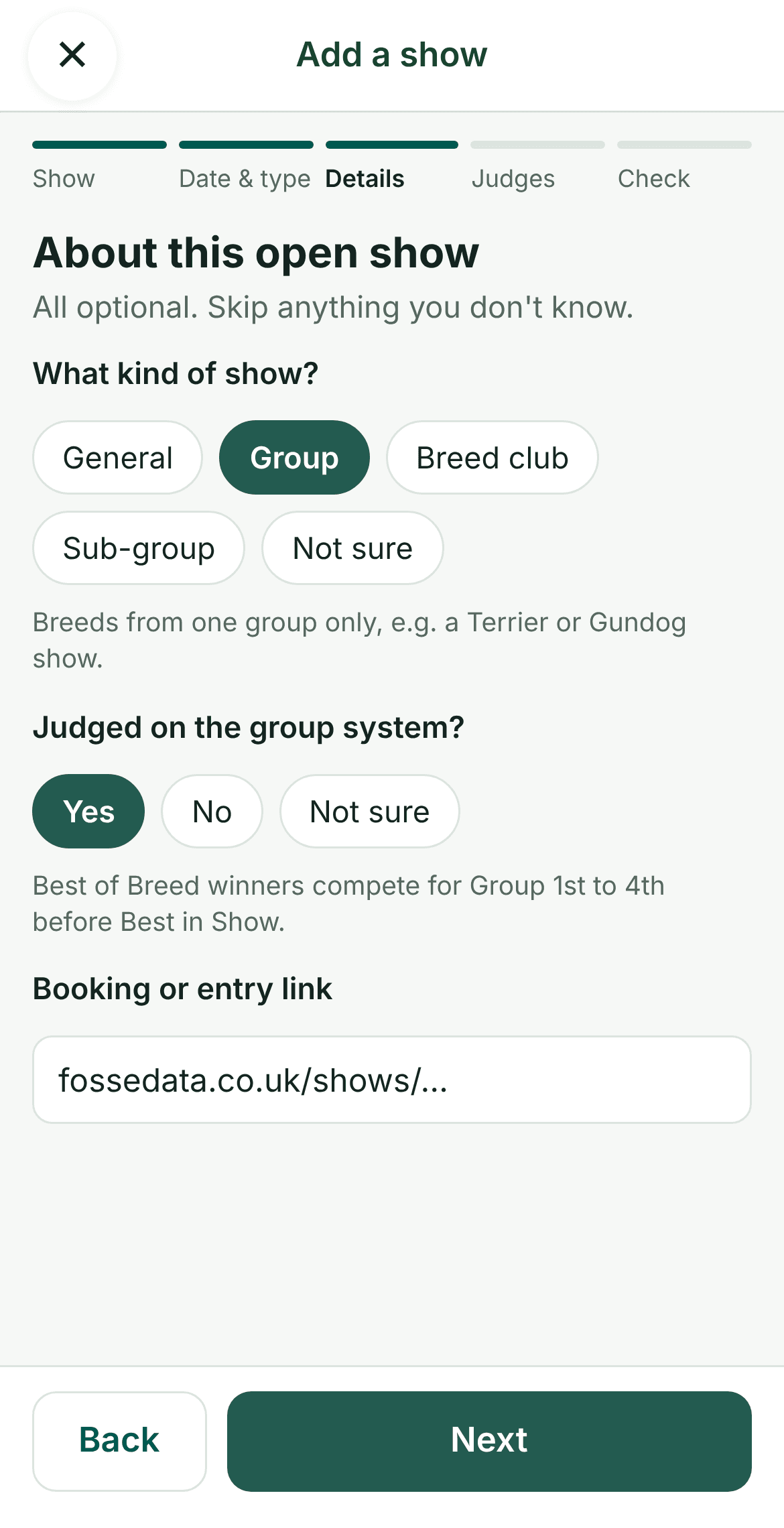
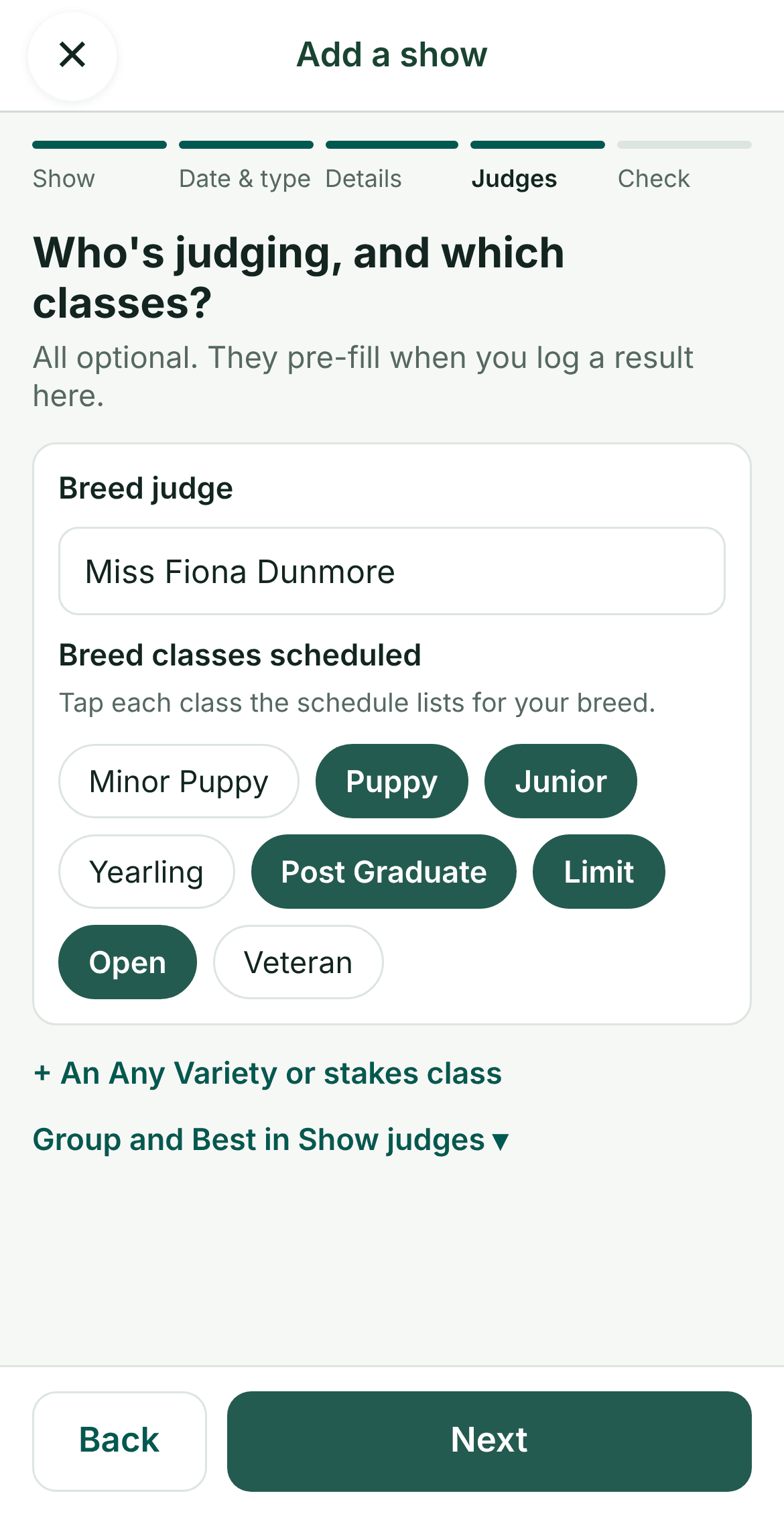
You can also add a show while you're logging a result, if it's not on your list yet.
Seeing your season
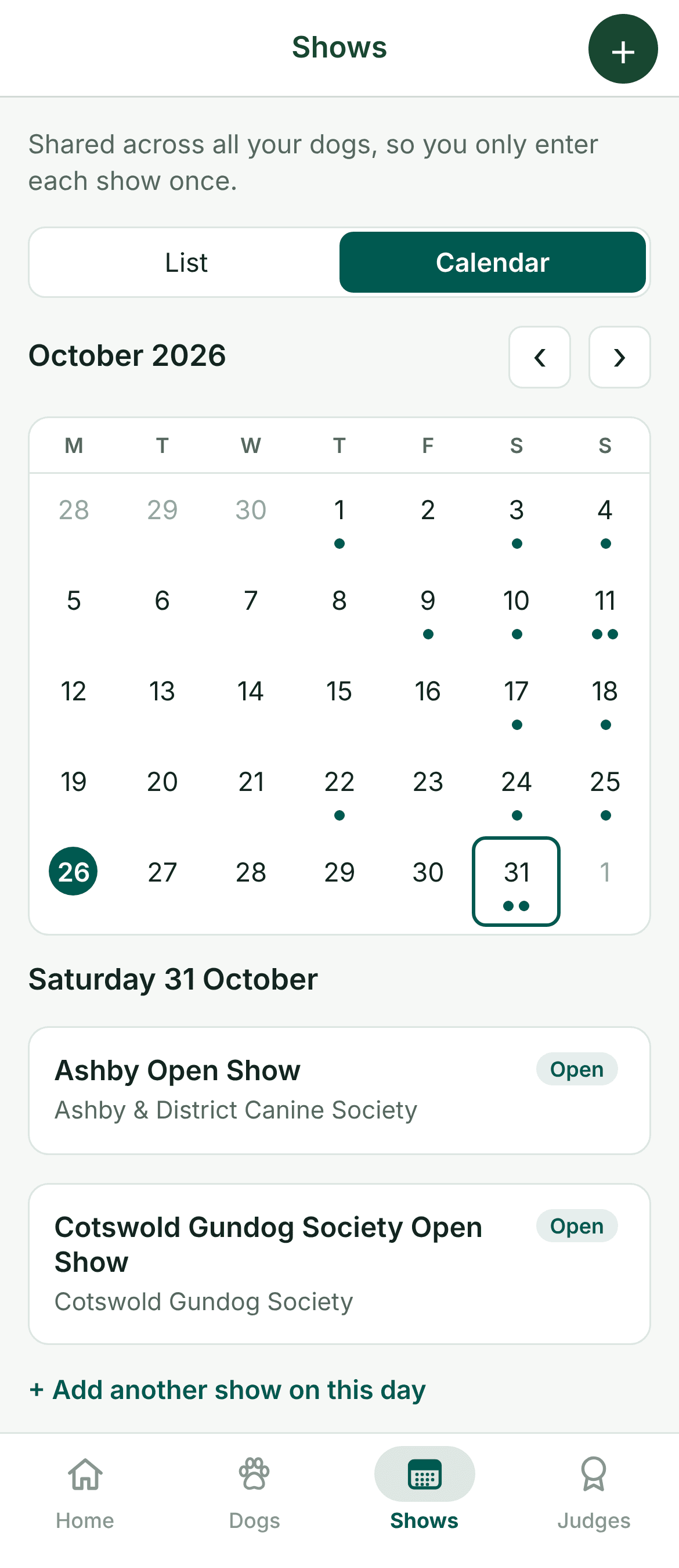
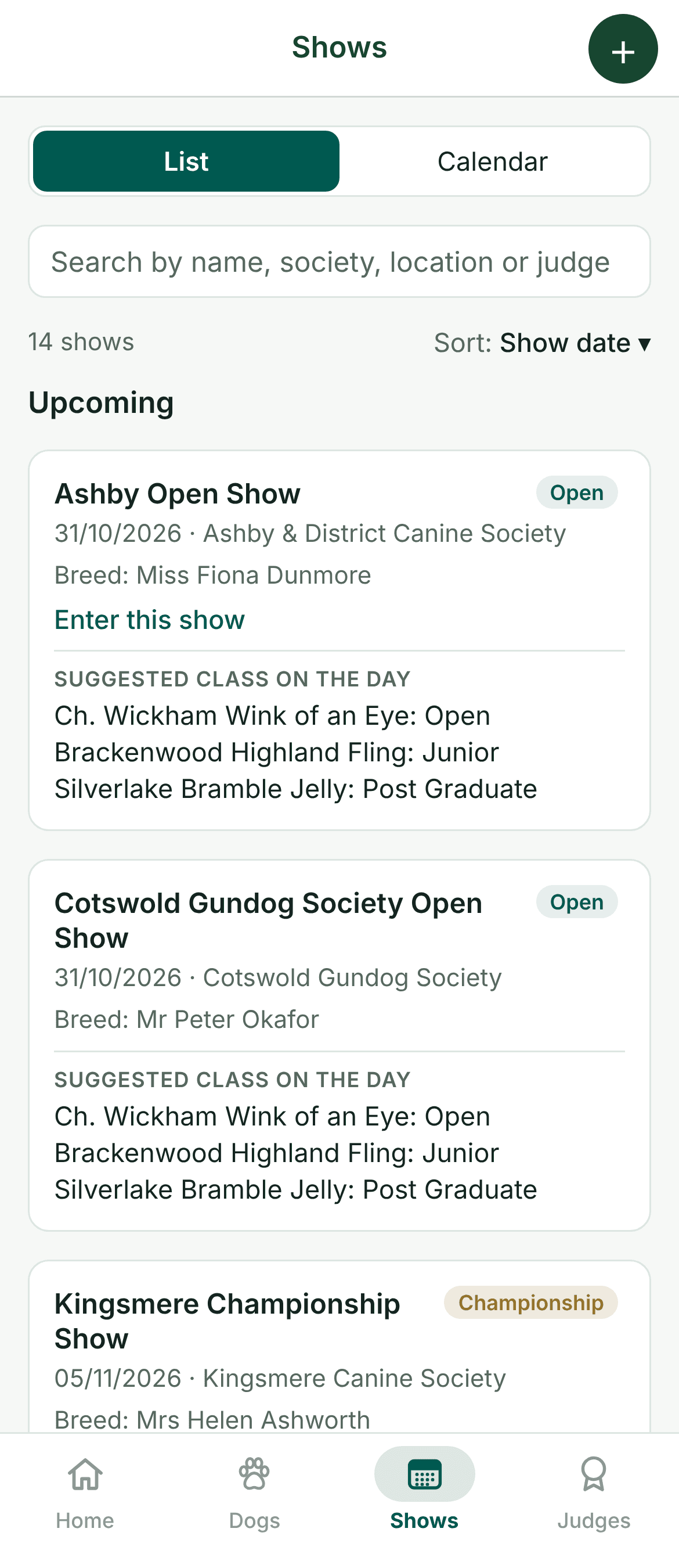
Your next show sits at the top of your home screen, with the ones after it listed underneath. The Shows page has a list of upcoming and past shows, and a calendar with a dot on every show day. On a phone, tap an empty day to add a show on that date.
Before you go
With Pro, a show's page also helps you prepare:
- Judge insights show how each of that show's judges has placed your dogs before, with your notes on them.
- Calendar sync puts your kennel's shows in your phone or computer calendar, and keeps it up to date when shows are added, changed or deleted.
See our guides to stats and judge insights and keeping notes on judges.
Not sure which classes to enter? Each dog's page shows the classes they can still enter, based on their age and what they have won. Our show classes guide explains them all.
Questions
- Does Ring & Rosette list upcoming dog shows?
- Not yet. You add the shows you've entered yourself. The show secretaries' websites, such as Fossedata and Higham Press, list what's coming up.
- Do I have to fill in every detail?
- No. Only the name, date and type are needed. The other details help Ring & Rosette work out Junior Warrant points correctly, so add them when you have the schedule to hand.
- Can I add shows I went to in the past?
- Yes. Add any show, past or future, and log your results against it.
- Is calendar sync free?
- Calendar sync and judge insights are part of Pro. Adding shows and the calendar on the Shows page are free.