New to Ring & Rosette?
Ring & Rosette is a dog show app for UK exhibitors. You log your results on the website or the phone apps, and it works out your warrant points, CCs, class eligibility and Crufts qualification for you, under Royal Kennel Club rules. It's free for up to two dogs.
In brief
Adding a note
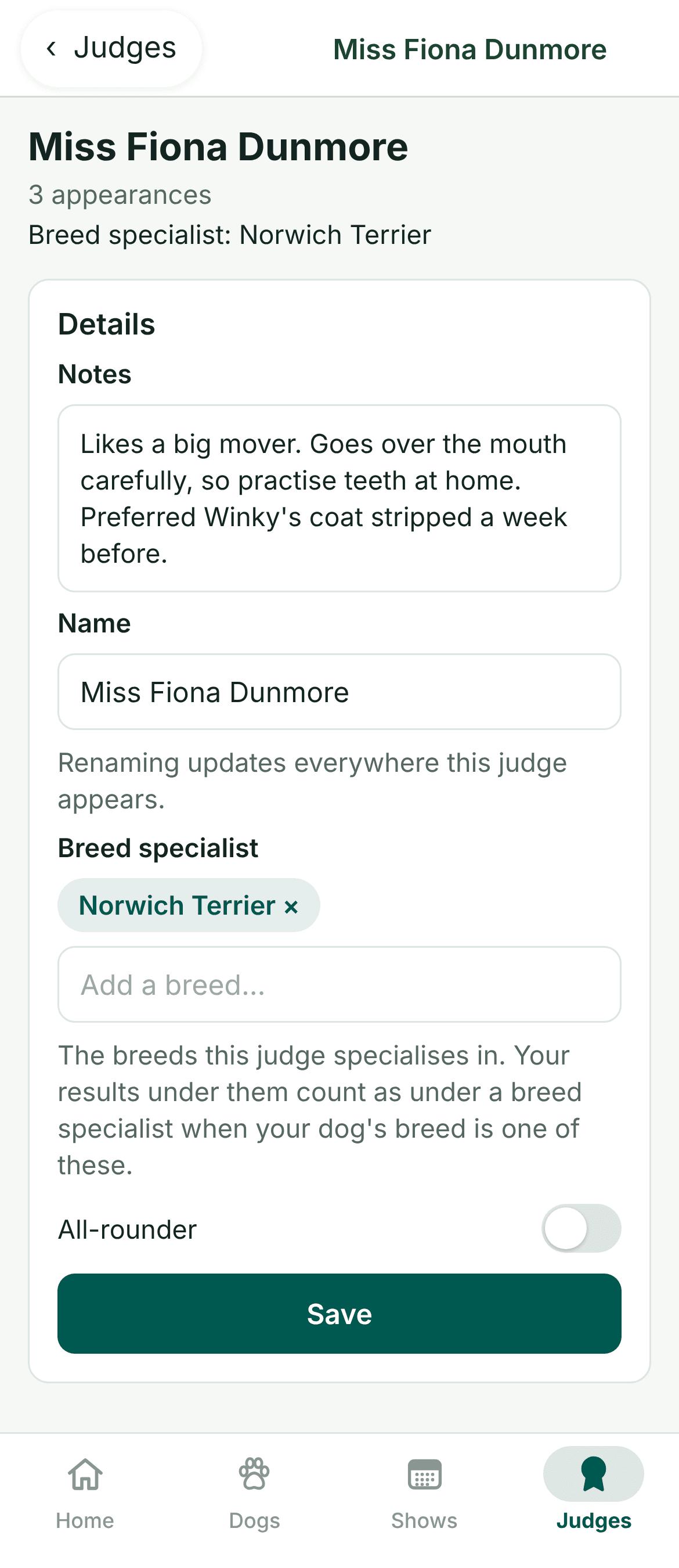
- Open Judges and tap the judge
- Write in Notes, under Details
- Tap Save
Where your notes show
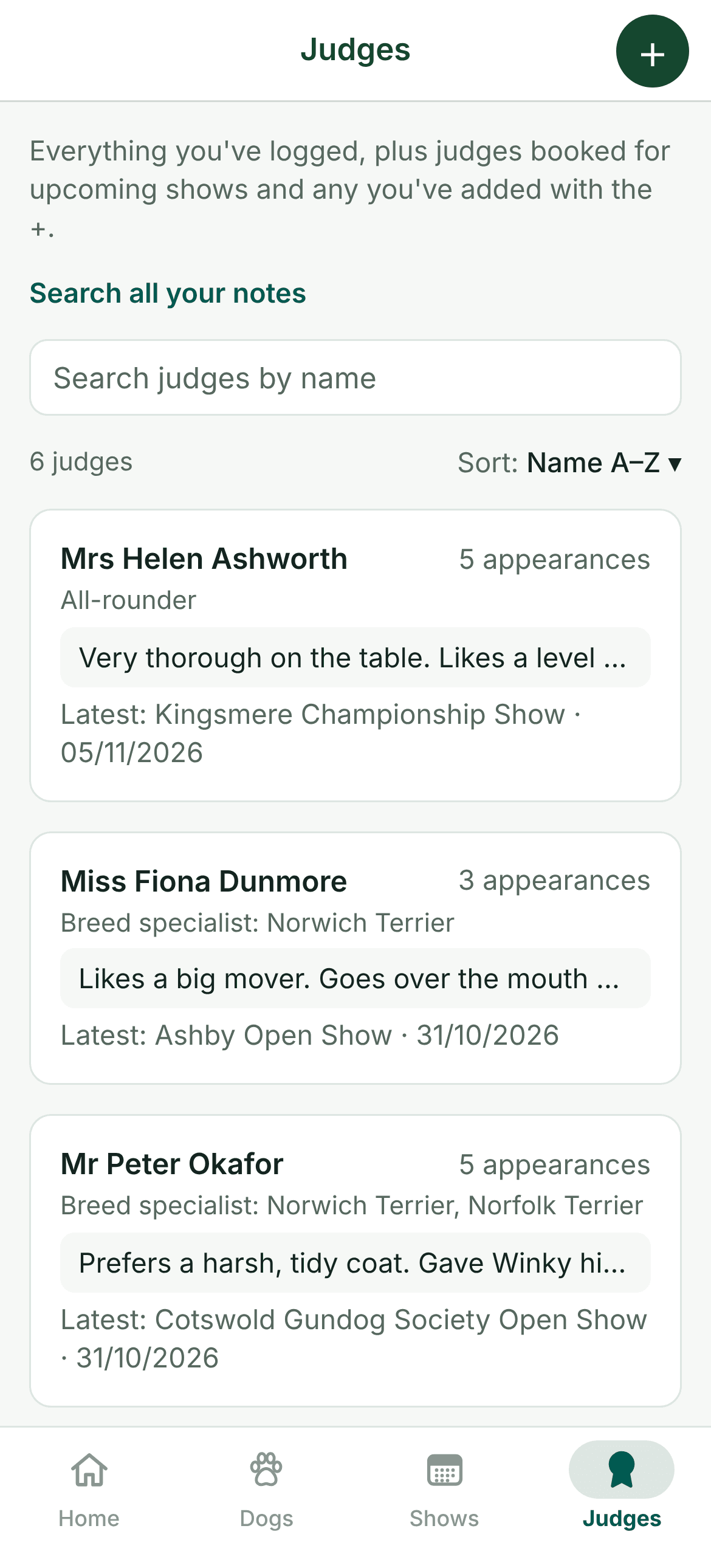
- On the Judges list, under each name
- On each judge's page
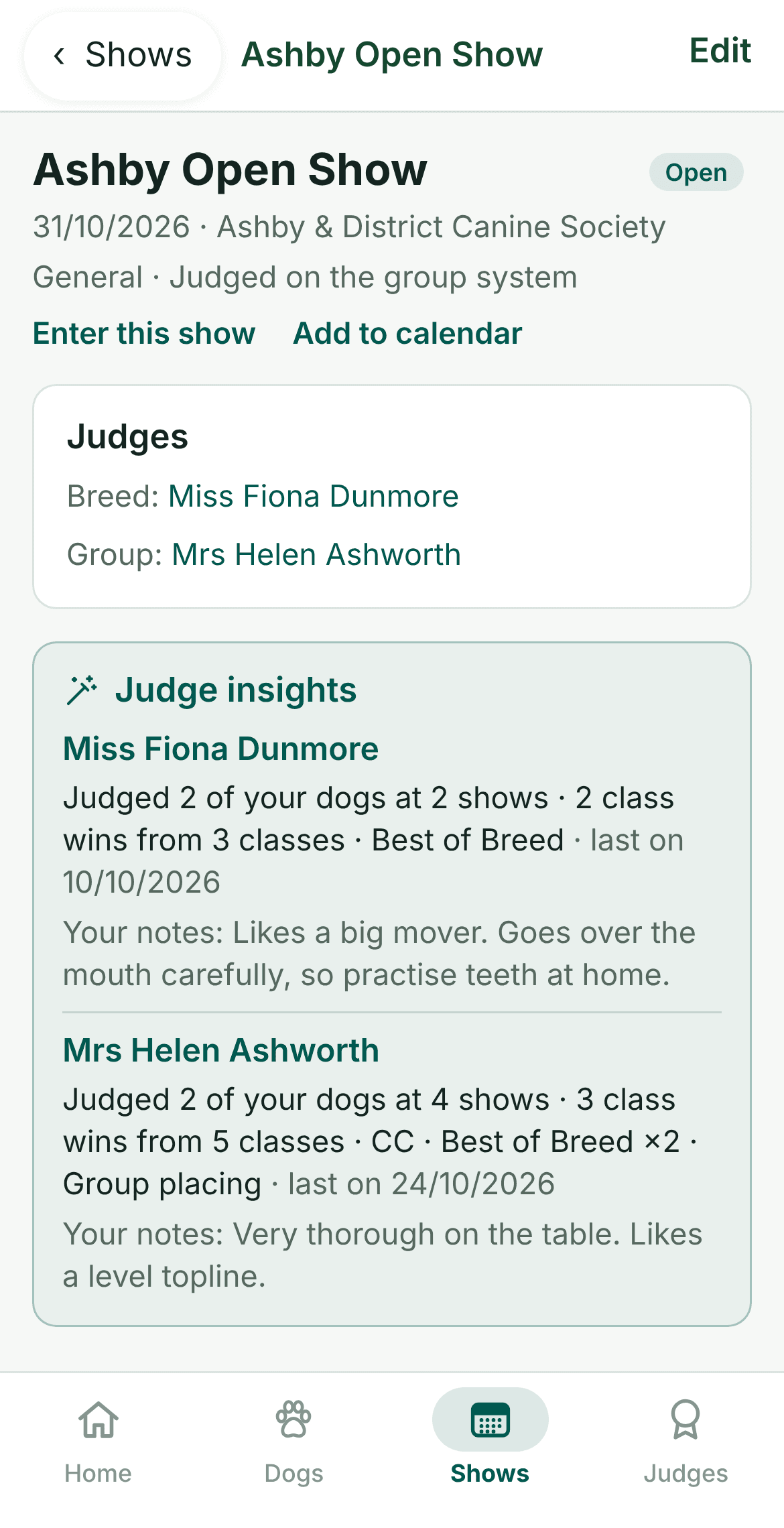
- On a show's page, for each of its judges
Your Judges list
You don't need to type judges in. Each judge you name when you log a result or add a show goes into your Judges list, and you can add others with the + button. Each judge shows how many times they've appeared, their specialism, the start of your notes and the last show you saw them at.
Adding notes
- Open the judge. Tap Judges, then the judge's name. You can also tap a judge's name on any show.
- Write your notes. Under Details, write whatever will help next time, such as what they liked, how they went over your dog, or how they ran the ring.
- Save. Tap Save. Everyone in your kennel sees them too.
While you're there, add the breeds they specialise in, or switch on All-rounder. That's what lets Ring & Rosette show how your dogs do under breed specialists and all-rounders.
Looking back before you enter
Add the judges when you add a show, and the show's page lists them. With Pro, it also sums up how each judge has placed your dogs before, with the start of your notes on them, so you can decide whether to enter. Our stats guide explains judge insights in more detail.
Each judge's page also has a history of every show they've judged your dogs at, with your placings, and the shows they're booked for next.
Searching your notes
With Pro, Search your notes on Home finds a word in all your notes on judges, dogs and results, and in judges' critiques. Search “mouth” and you'll see every judge you noted went over the mouth carefully. Our critiques guide shows how to keep each judge's critiques alongside your notes.
Questions
- Are judge notes free?
- Yes. Notes on judges, dogs and results are free. Judge insights and searching your notes are part of Pro.
- Can the judge see my notes?
- No. Your notes are only seen by the people in your kennel.
- How do I add a judge before a show?
- Add them under Judges when you add the show, or tap + on Judges. They'll be in your list ready for your notes.
- Can I add notes on the website?
- Yes. Judges on the website works the same way, and your notes are the same in both.