New to Ring & Rosette?
Ring & Rosette is a dog show app for UK exhibitors. You log your results on the website or the phone apps, and it works out your warrant points, CCs, class eligibility and Crufts qualification for you, under Royal Kennel Club rules. It's free for up to two dogs.
In brief
Adding a critique
- Open the result on your dog's page
- Tap + Add critique
- Pick the judge and the classes it covers
- Paste in what the judge wrote
What you get
- Every critique saved with its result
- A list of placings still awaiting a critique
- With Pro, what judges mention most about each dog
Where to find your critiques
Judges write critiques on the dogs placed 1st and 2nd in each class, and usually on Group and Best in Show winners too. They go up on the Royal Kennel Club's critiques website, often weeks or months after the show. Our first dog show guide explains how long judges have to publish them.
Adding a critique to a result
Critiques live with the result they're about, so you can always read them alongside the placing.
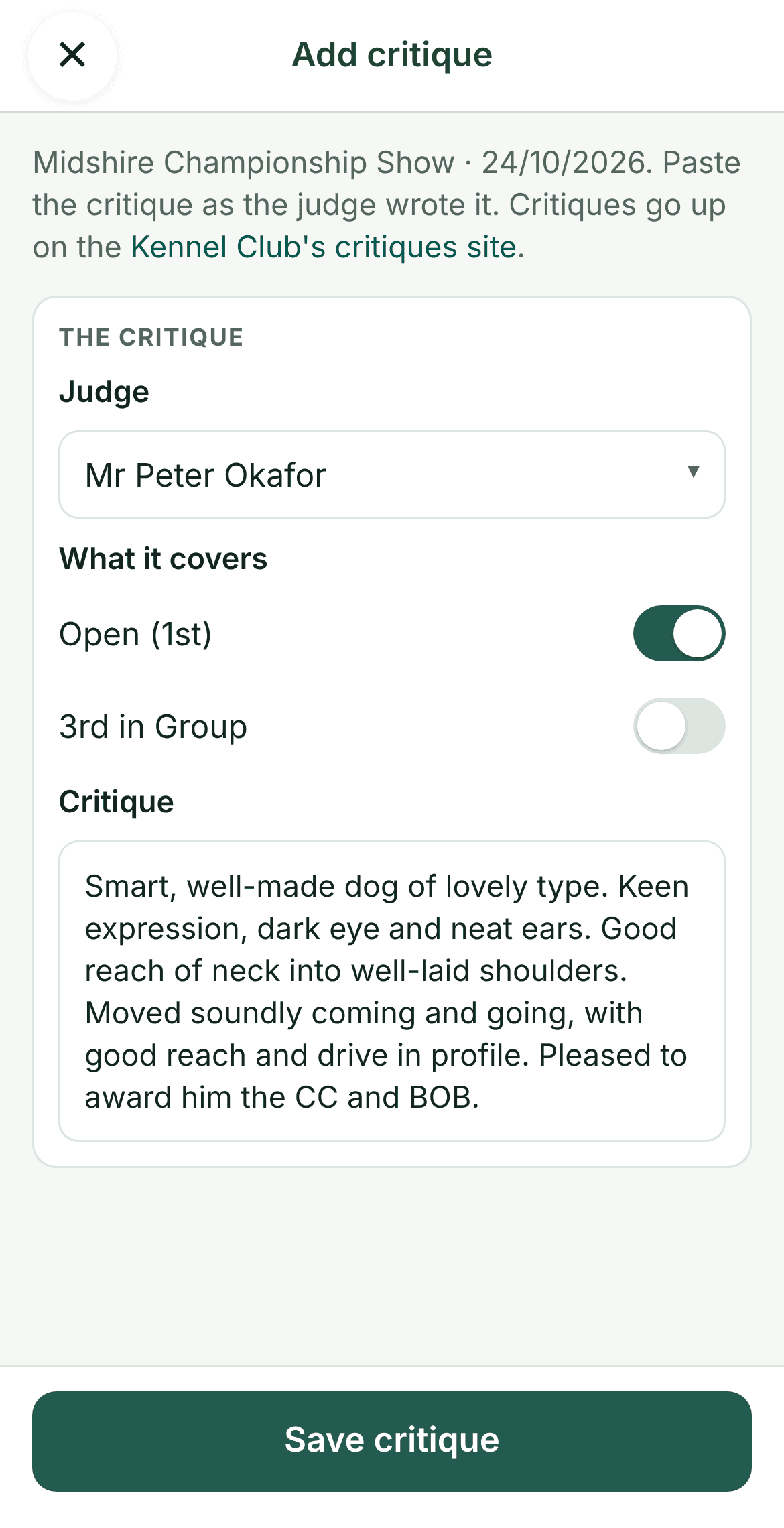
- Go to your dog's page and open Results.
- Find the show, and tap + Add critique at the bottom of the result.
- Pick the judge. Ring & Rosette offers the judges from that result, breed judge first.
- Check the classes it covers. The ones that judge placed you 1st or 2nd in are already ticked, and you can add a Group or Best in Show placing too.
- Paste in the critique as the judge wrote it, and save.
A result can have more than one critique, say one from the breed judge and one from the Group judge.
Keeping track of the ones still to come
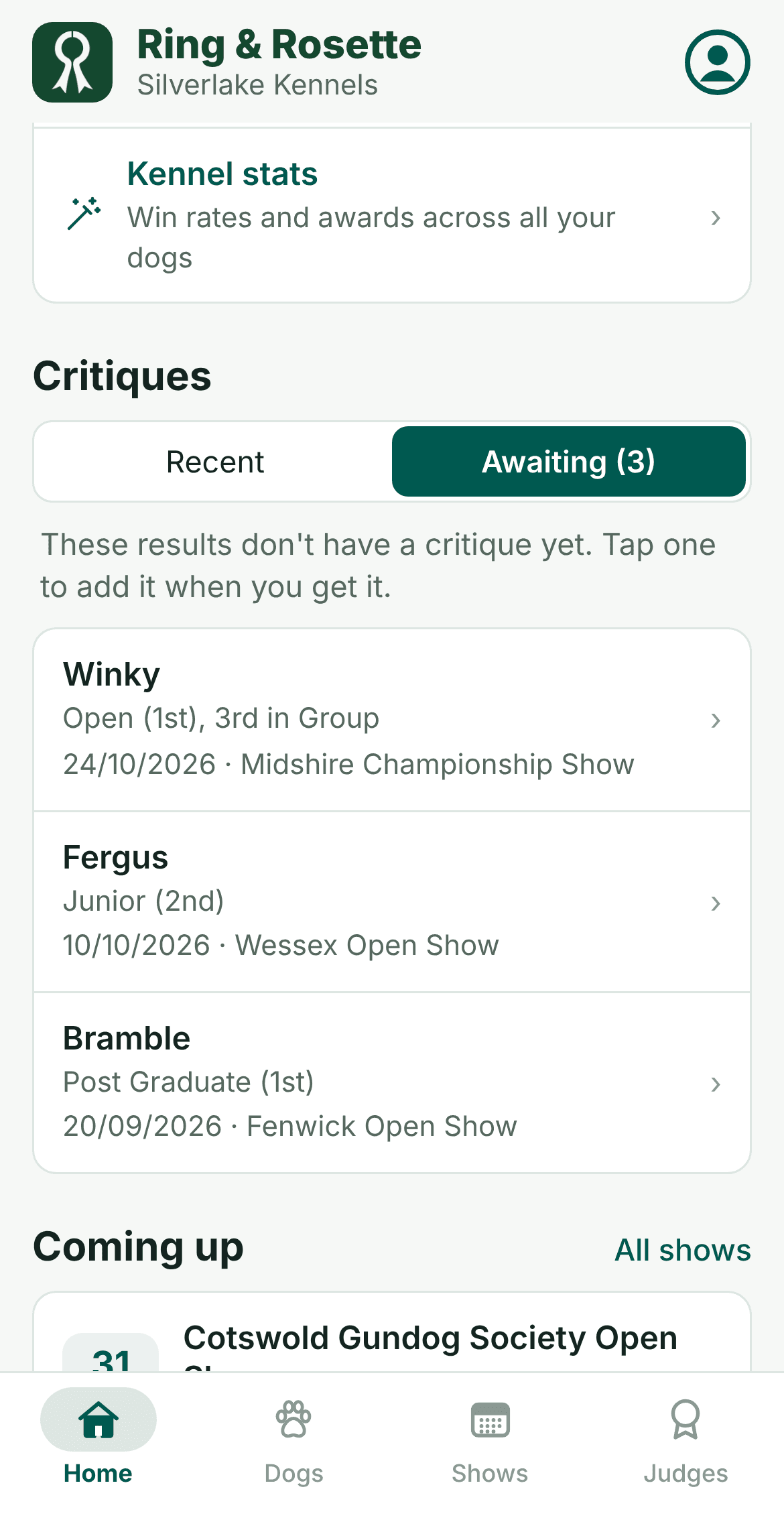
The Critiques card on your home screen has two tabs. Recent shows the latest critiques you've added. Awaiting lists the placings from the last six months that would normally get a critique and don't have one yet, so you know which ones to look out for.
What the critiques say
With Pro, Ring & Rosette reads your critiques and counts how often judges mention each part of the dog, such as head and expression, movement, or coat and colour. Tap any of them to read the sentences behind the count, with the judge and show.
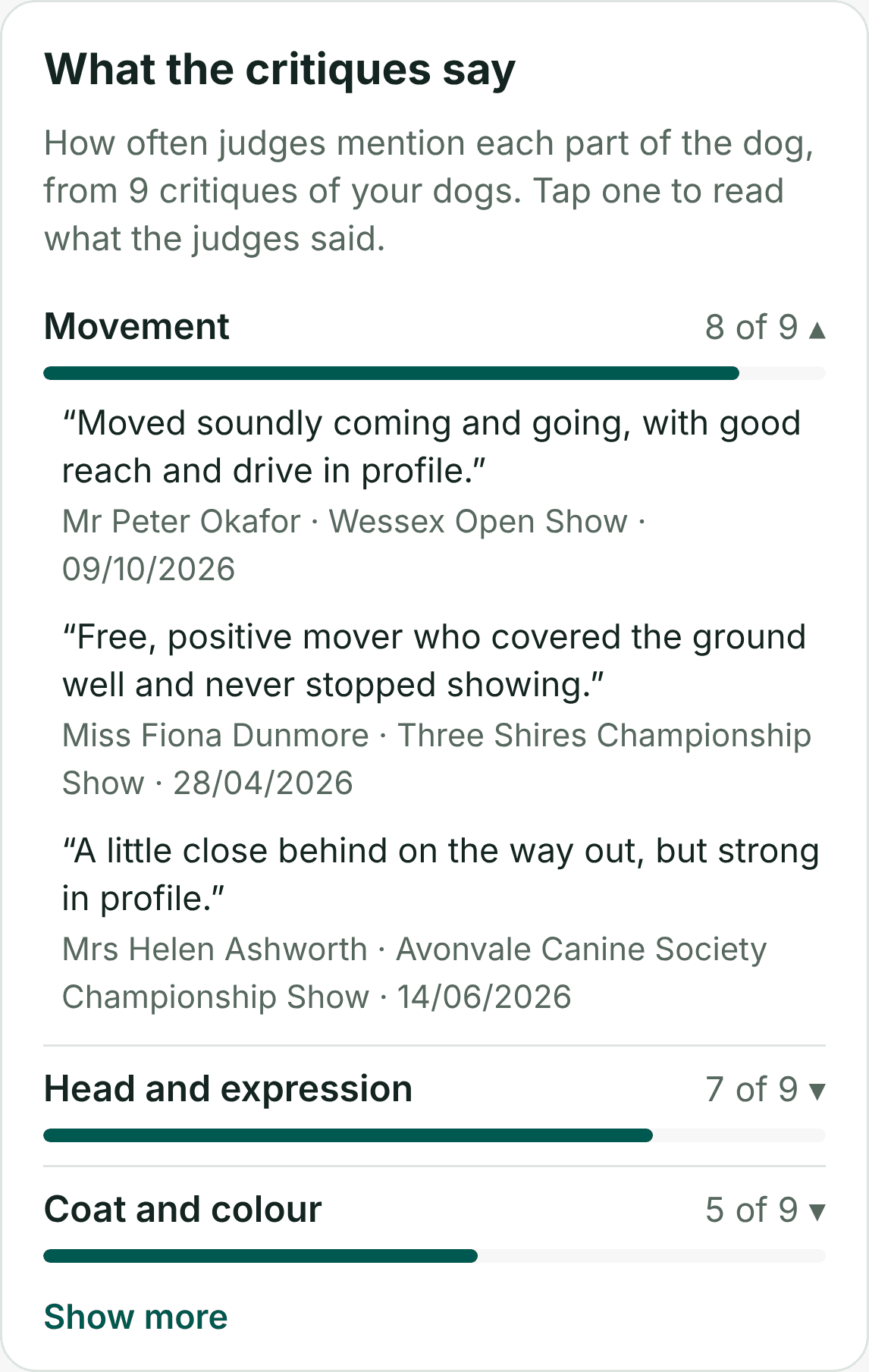
It shows up in two places:
- On a judge's page, from just their critiques, so you can see what that judge likes before you enter under them again.
- On each dog's Stats, from every judge's critiques, so you can see what judges keep pointing out about that dog, good and bad.
Our stats guide covers this and the rest of what Ring & Rosette works out from your results.
Private to your kennel
Your critiques, like your notes, are only seen by you and the people in your kennel. Storing critiques is free. The summary of what they say is part of Pro.
Questions
- Where do I find my dog show critiques?
- Judges publish them on the Royal Kennel Club's critiques website, usually within three months of the show. Many also get shared in breed Facebook groups.
- Can Ring & Rosette fetch my critiques for me?
- No. The critiques website doesn't allow its content to be copied into other apps, so you paste each one in yourself. It only takes a moment, and you can link straight to the site from the critique form.
- Is keeping critiques free?
- Yes. Adding and reading critiques is free for everyone. Seeing what judges mention most about your dogs is part of Pro.
- Which results should get a critique?
- Usually 1st and 2nd in each class, plus Group and Best in Show placings. Some shows also critique 3rd. Ring & Rosette lists the placings from the last six months that are still awaiting one.