New to Ring & Rosette?
Ring & Rosette is a dog show app for UK exhibitors. You log your results on the website or the phone apps, and it works out your warrant points, CCs, class eligibility and Crufts qualification for you, under Royal Kennel Club rules. It's free for up to two dogs.
In brief
Logging a result
- Tap + Log a result on Home
- Pick the dog and the show
- Add each class and your placing
- Tap any awards, check and save
What you get
- Warrant points and CCs added up for you
- Classes your dog can still enter, kept up to date
- Every show and judge remembered
Where to start
Tap + Log a result on your home screen. You can also log one from a dog's Results, or from a show's own page, where the show is already filled in for you.
The five steps
The form takes you through five steps, one at a time, and you can go back to any of them before you save.
- Dog. Pick which dog the result is for. If you only have one dog, this step is skipped.
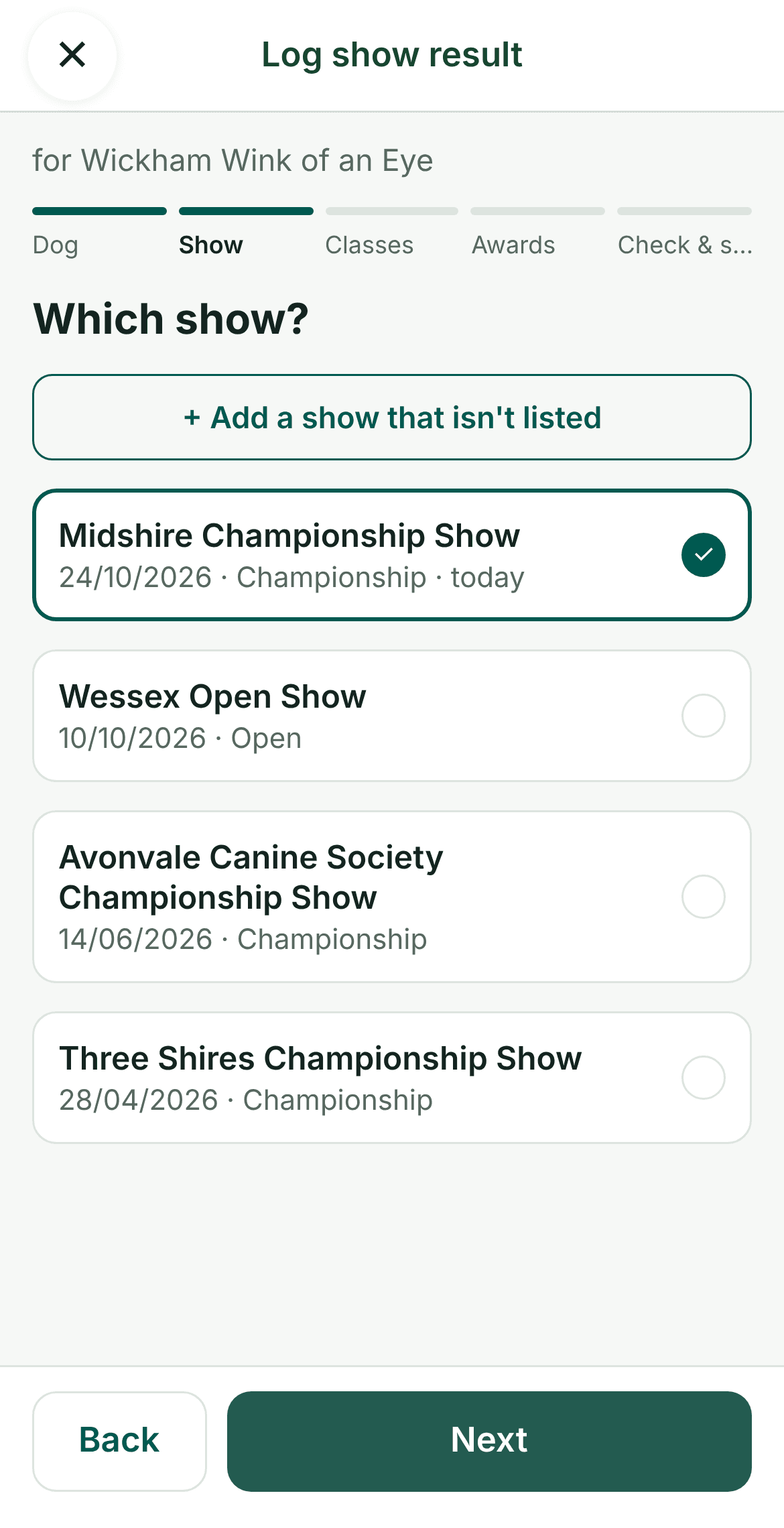
- Show. Pick the show from your list, newest first with today's at the top. If it isn't there, tap + A show that isn't listed and add its name, date and type. Open shows ask two more questions from the schedule, and Not sure is fine for either.
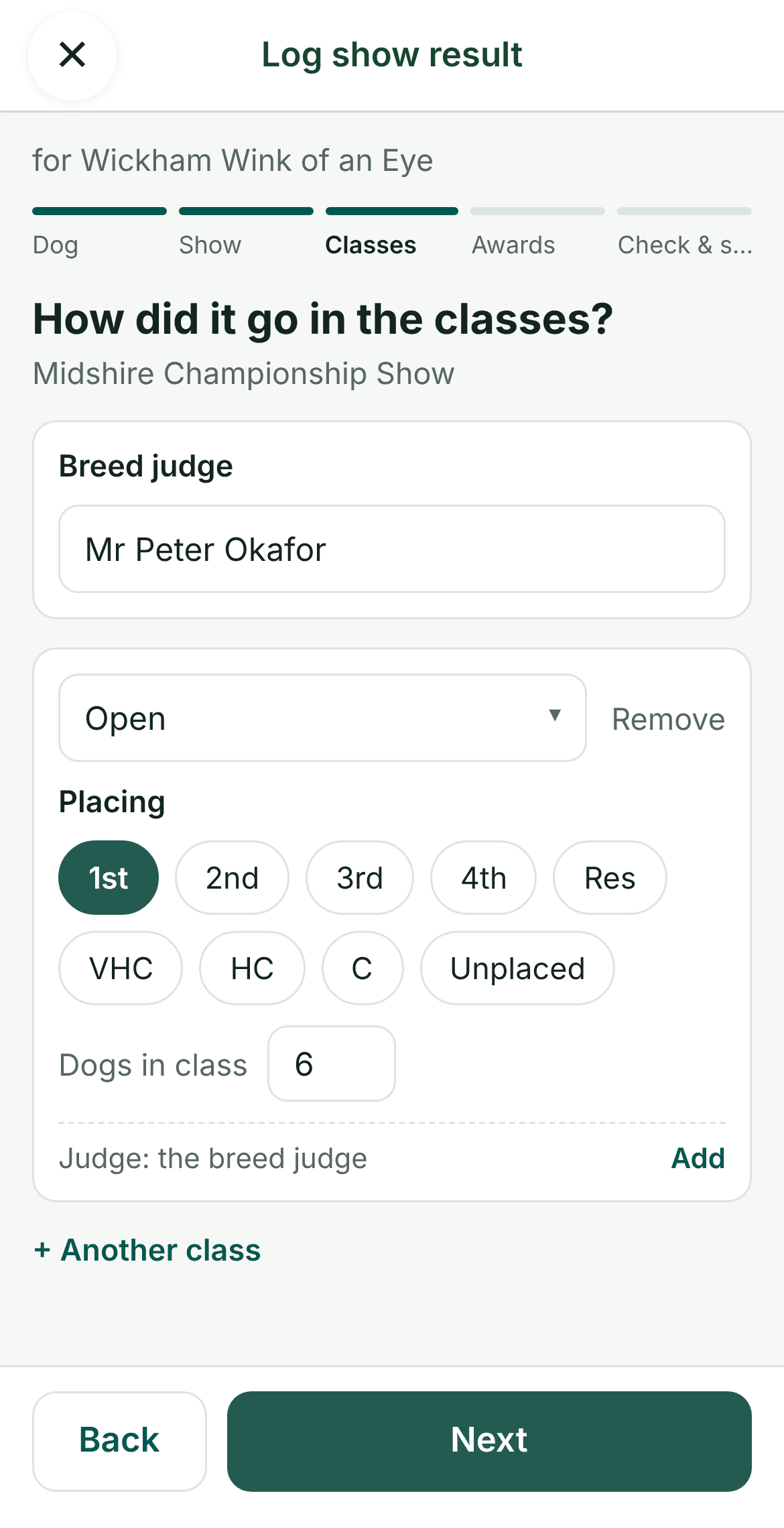
- Classes. Add the breed judge, then each class you entered and your placing, from 1st to Unplaced. Tap + Another class for the next one. If you know how many dogs were in the class, add that too.
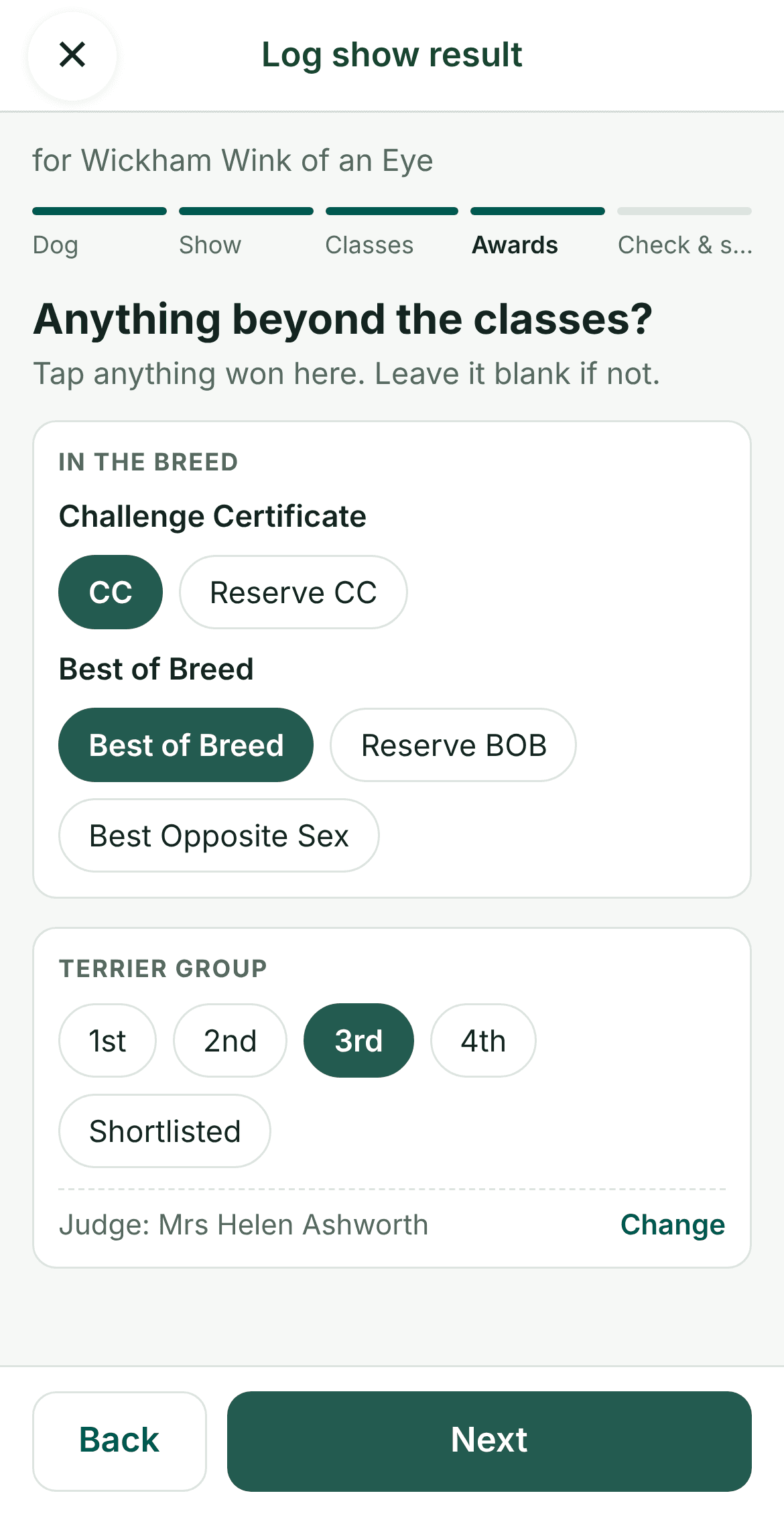
- Awards. Tap anything won beyond the classes, such as a CC, Best of Breed or Best Puppy, and any Group or Best in Show placing with its judge. Only the awards that fit what you've already won are offered. If there's nothing else, tap Nothing else, next.
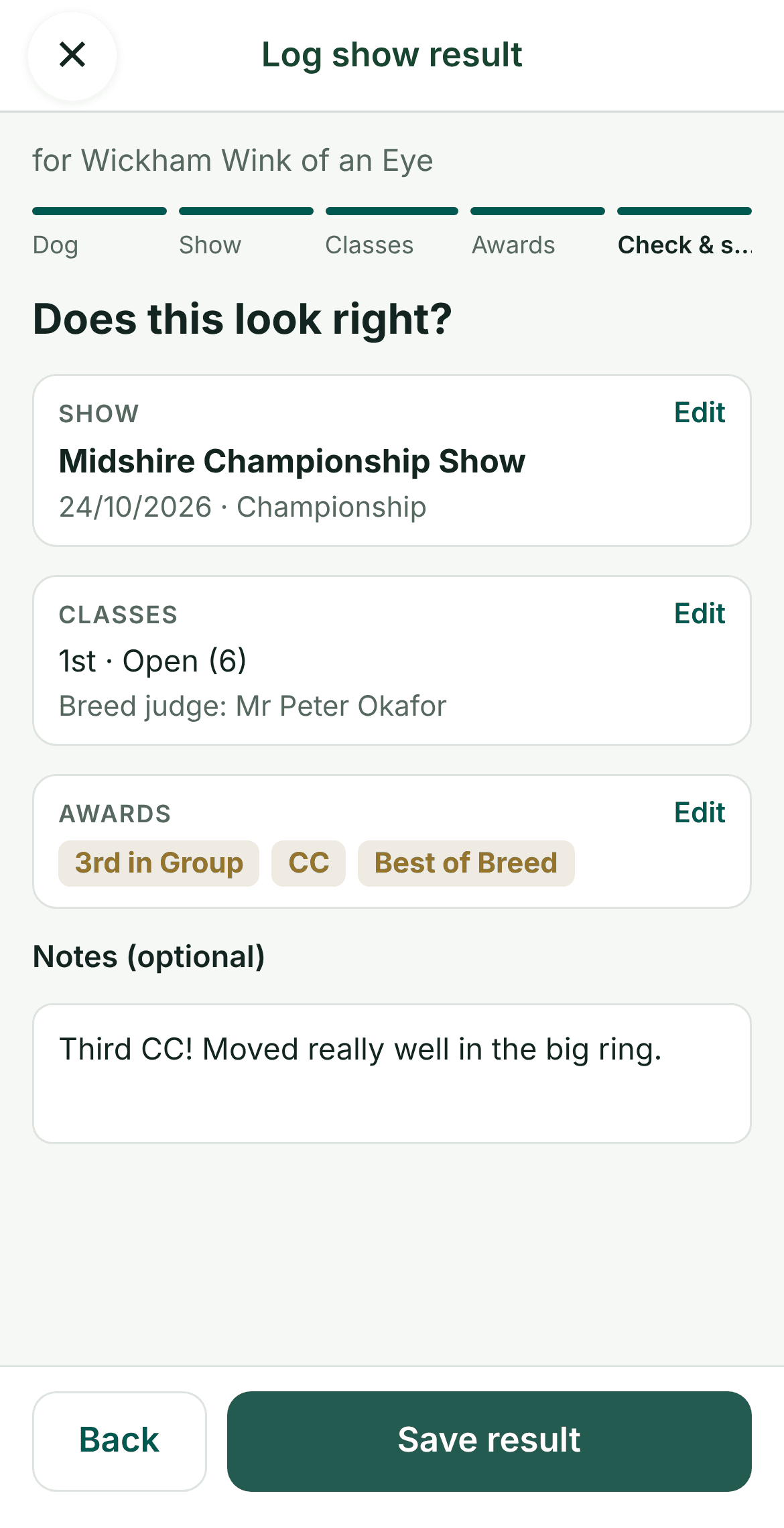
- Check & save. Read through the summary, edit any part that's wrong, add a note if you like, and save.
No signal at the show?
The phone apps work without a signal. Your result is saved on your phone with a Waiting to upload tag, and goes up on its own as soon as you're back online.
What happens when you save
Ring & Rosette goes through the result and updates:
- Your dog's Junior Warrant or Veteran Warrant points, CCs towards Champion, and Crufts qualification, under Royal Kennel Club rules.
- The classes your dog can still enter, based on their age and what they have won.
- The judge's page, so you can see every time you've shown under them.
- Your Critiques card, which adds any placing that should get a critique to the ones awaiting.
- With Pro, your dog's stats, your kennel stats and judge insights.
Our Junior Warrant guide explains how the points add up, and keeping your critiques shows what to do once the critique comes out. Our stats guide shows what your results add up to.
Questions
- Can I log results from shows I've already been to?
- Yes. Log a result any time after the show, and add your older results too. Ring & Rosette works out the points and awards from all of them.
- Can I change a result after saving it?
- Yes. Open the result on your dog's page and tap Edit. Points and awards update when you save.
- Do I need to say how many dogs were in the class?
- No, it's optional. Some Junior Warrant points depend on other dogs being there, so adding it when you know helps Ring & Rosette count them correctly.
- Is logging results free?
- Yes. You can log every result for up to two dogs for free. Pro adds more dogs and extras such as stats and judge insights.