New to Ring & Rosette?
Ring & Rosette is a dog show app for UK exhibitors. You log your results on the website or the phone apps, and it works out your warrant points, CCs, class eligibility and Crufts qualification for you, under Royal Kennel Club rules. It's free for up to two dogs.
In brief
Where to find them
- On each dog's Stats tab
- On Kennel stats, from Home or the Dogs list
- On each judge's page
What you see
- Win rates, placings and awards
- Year by year and class by class
- How each judge has placed your dogs
- Breed specialists vs all-rounders
- What judges mention most in critiques
Worked out from your results
There's nothing extra to fill in. Ring & Rosette works out your stats from the results, judges and critiques you've already logged, and keeps them up to date each time you add one. The more results you log, older ones included, the more they tell you.
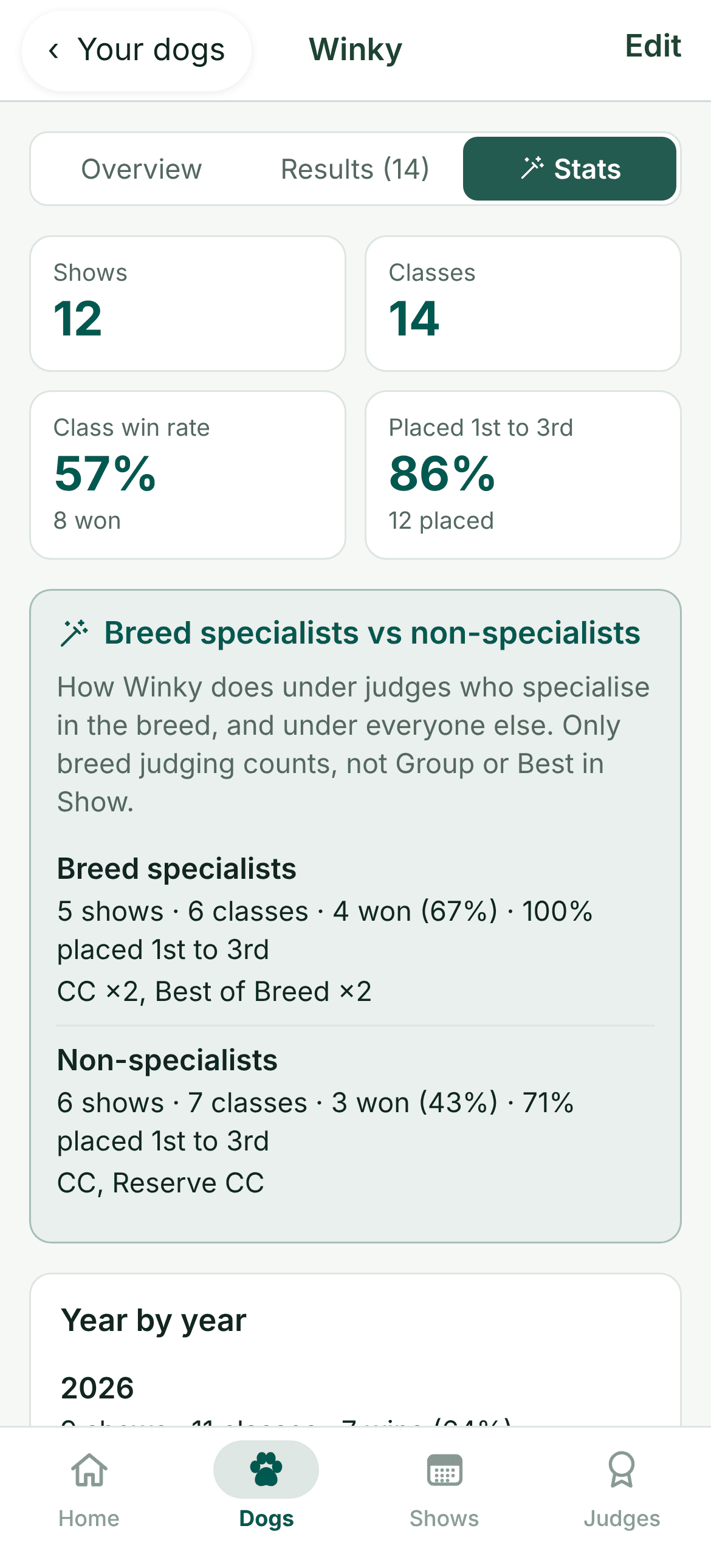
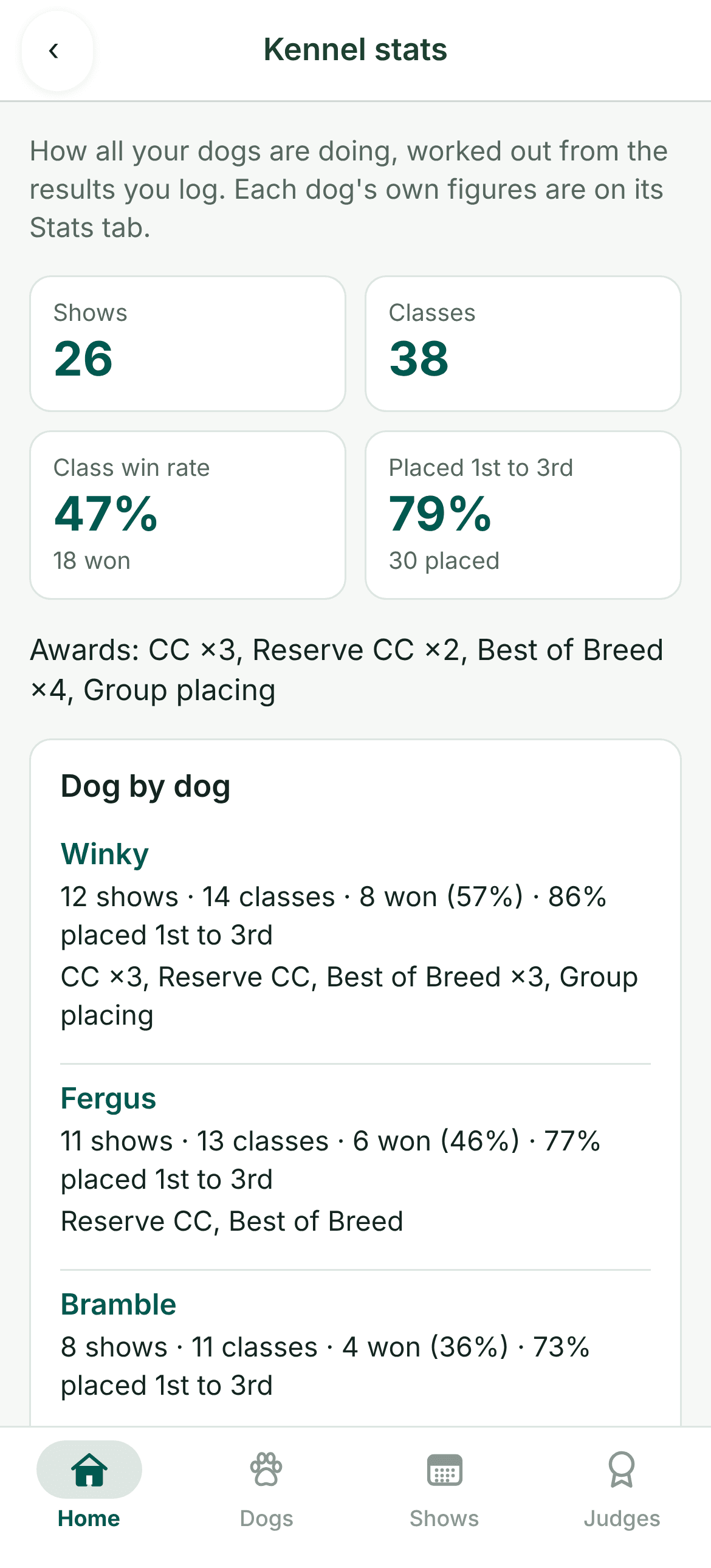
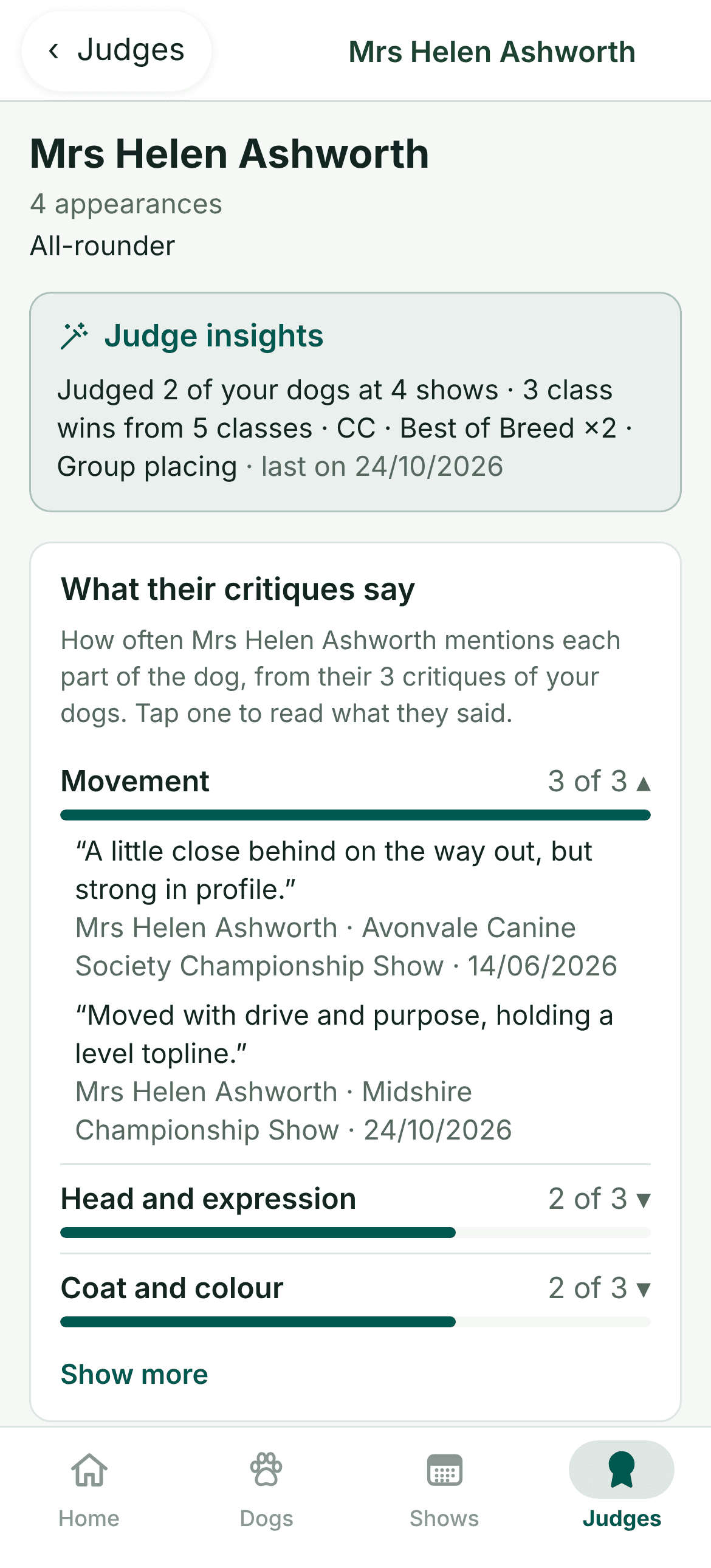
Your dog's stats
Open a dog from Dogs and tap the Stats tab. You'll see:
- The totals. Shows, classes, how often your dog wins their class, and how often they're placed 1st to 3rd.
- Breed specialists vs non-specialists. How your dog does under judges who specialise in the breed, and under everyone else.
- What the critiques say. Which parts of your dog judges mention most, such as movement or head and expression. Tap one to read what each judge said.
- Year by year. Shows, wins and awards for each year, with the points towards each award earned that year.
- Class by class. How your dog does in each class, so you can see where they shine.
Kennel stats
Kennel stats puts all your dogs together. Tap Kennel stats on Home or the Dogs list in the app, or Stats on the website. It has the same totals for the whole kennel, then each dog side by side, your breed specialist figures and your kennel's year by year.
Judge insights
Each judge's page sums up how they've placed your dogs: how many of your dogs they've judged, your class wins under them, any awards and when they last judged you. If you've added their critiques, you'll also see what they mention most. The same summary shows on a show's page for each of its judges, so you can see what to expect before you go.
Breed specialists vs all-rounders
Some judges specialise in one or a few breeds, while others, often called all-rounders, judge many. To see how your dogs do under each, log each judge's specialism on their page: add the breeds they specialise in, or switch on All-rounder.
Only breed judging counts here, not Group or Best in Show. Judges without a specialism logged are left out, and the stats list them so you can add it.
What the critiques say
When you add judges' critiques, Ring & Rosette counts how often they mention each part of the dog. On a dog's Stats it covers every judge, so you can see what keeps coming up about that dog. On a judge's page it covers only their critiques, so you can see what they look for. Our critiques guide shows how to add them.
Questions
- Are stats free?
- Stats, kennel stats and judge insights are part of Pro. Without Pro, a dog's Stats and Kennel stats show a blurred example, so you can see what you'd get.
- Why don't my stats look right?
- Stats only know about the results you've logged. Add your older results, and the number of dogs in each class if you know it.
- Why are some judges missing from the specialist figures?
- Judges are only counted once you've logged whether they're a breed specialist or an all-rounder. Open the judge's page and add it in Details.
- Can I see stats for just one year?
- Yes. Year by year on each dog's Stats, and on Kennel stats, splits shows, wins and awards by year.